
Treating animals without a microchip
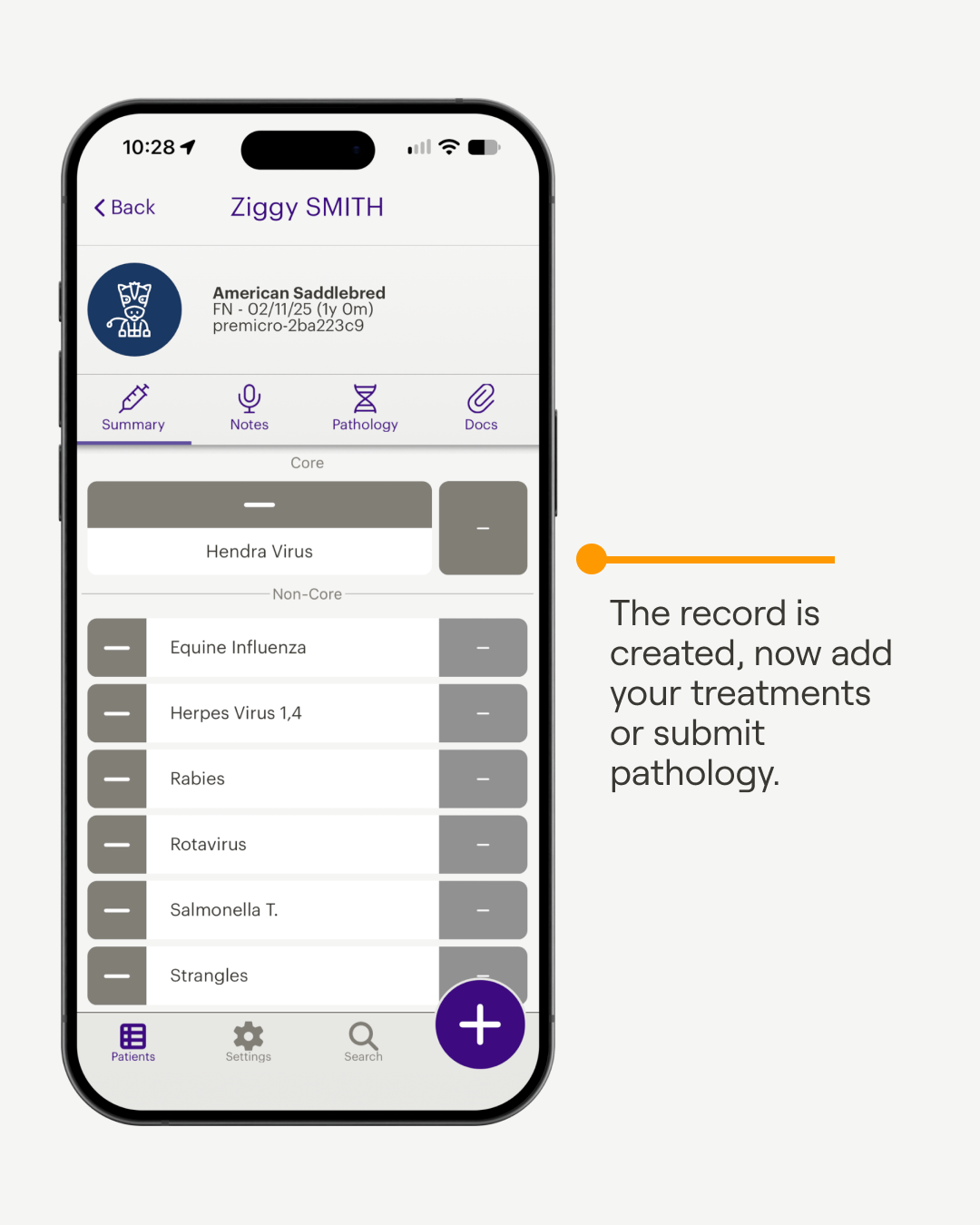
Vedi uses the microchip number as the unique identifier for each animal’s health record. If an animal isn’t microchipped, which is more common with horses, you can still record treatments and submit pathology by creating a Premicrochip record. Vedi gives the animal a unique ID (e.g. premicro-2ba223c9) that is used in place of a microchip number.
You'll utilise
Vedi app
Vedi Portal
Microchips
Scanner
You'll use
VetDB app
VetDB Portal
Microchips
Scanner
No items found.
No items found.
Create a Premicrochip record.
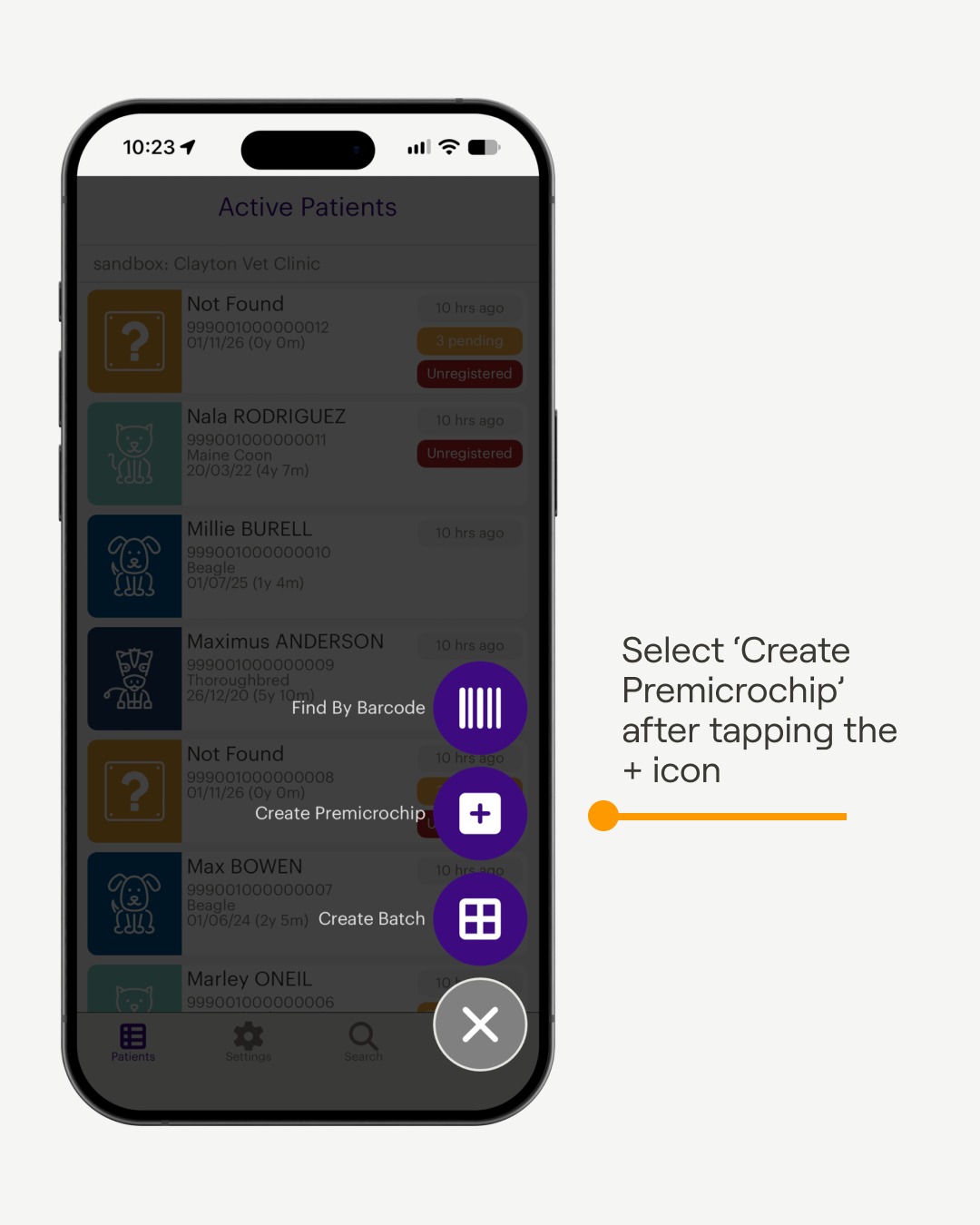
- In the Vedi iOS app, tap the + action button and select Create Premicrochip.
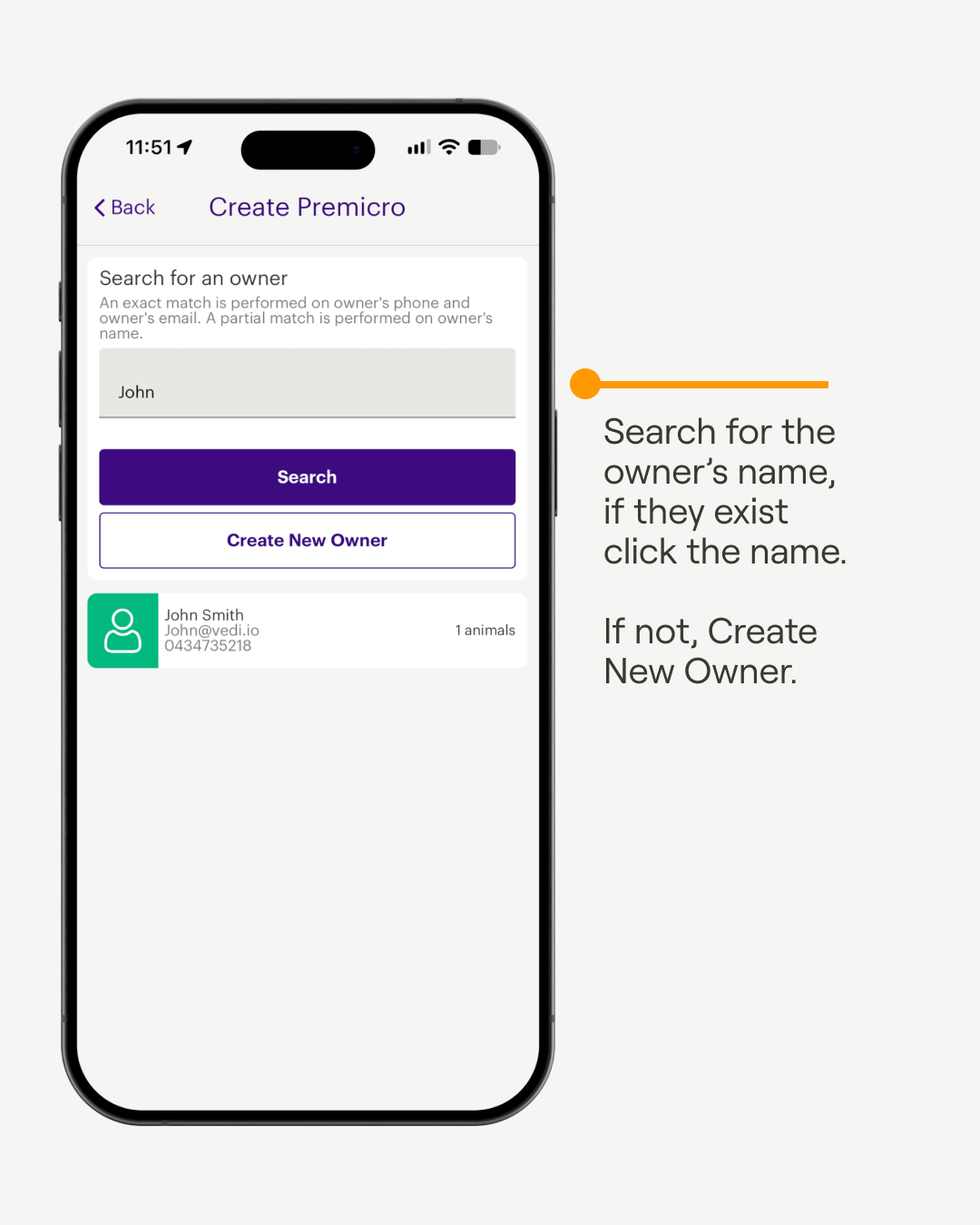
- On the Search for an owner screen, enter the owner’s name, phone number or email, then tap Search.
- Names can be partial (e.g. “Smi” will find “Smith”).
- Phone numbers and emails must match exactly.
- Select the owner from the results. If they aren’t in Vedi, create a new owner.
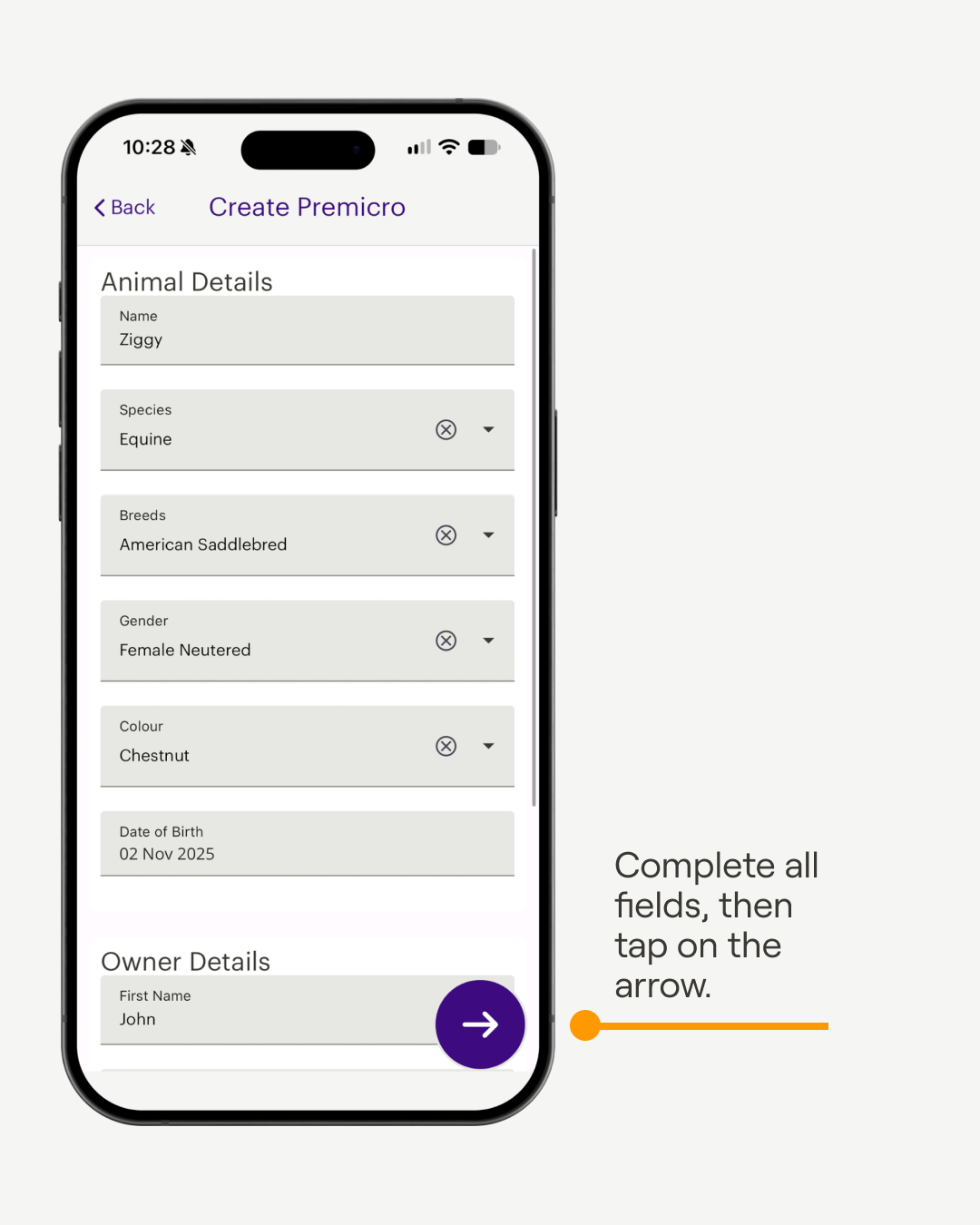
- Under Animal Details, enter the name, species, breed, gender, colour and date of birth. Check that the Owner Details are correct.
- Tap the → button to submit. Vedi creates the record and shows the animal’s unique
premicro-ID under its details. - Add treatments, notes or pathology as usual.
Submitting pathology
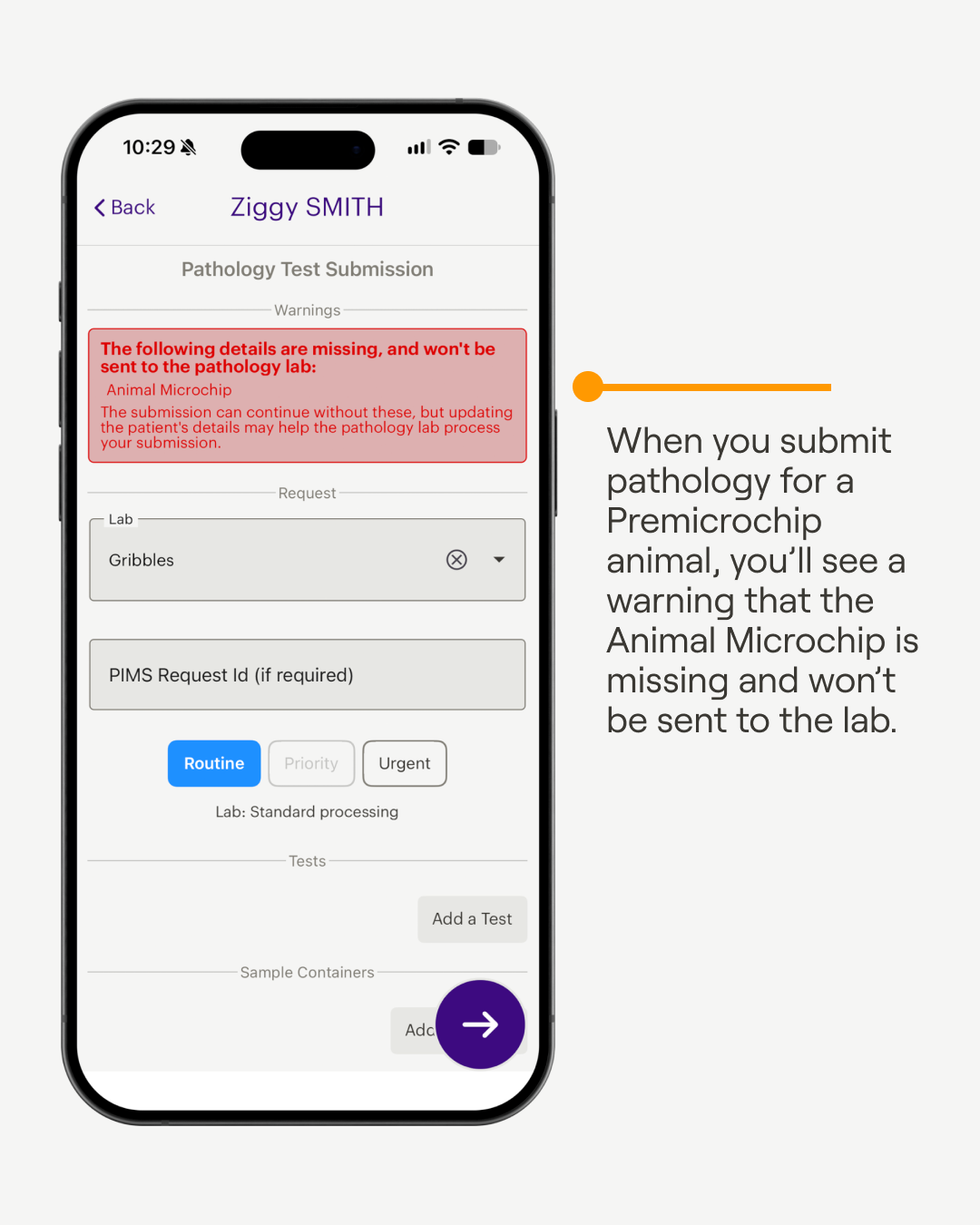
When you submit pathology for a Premicrochip animal, you’ll see a warning that the Animal Microchip is missing and won’t be sent to the lab. This is expected, and you can carry on with the submission.
Syncing with your PIMS
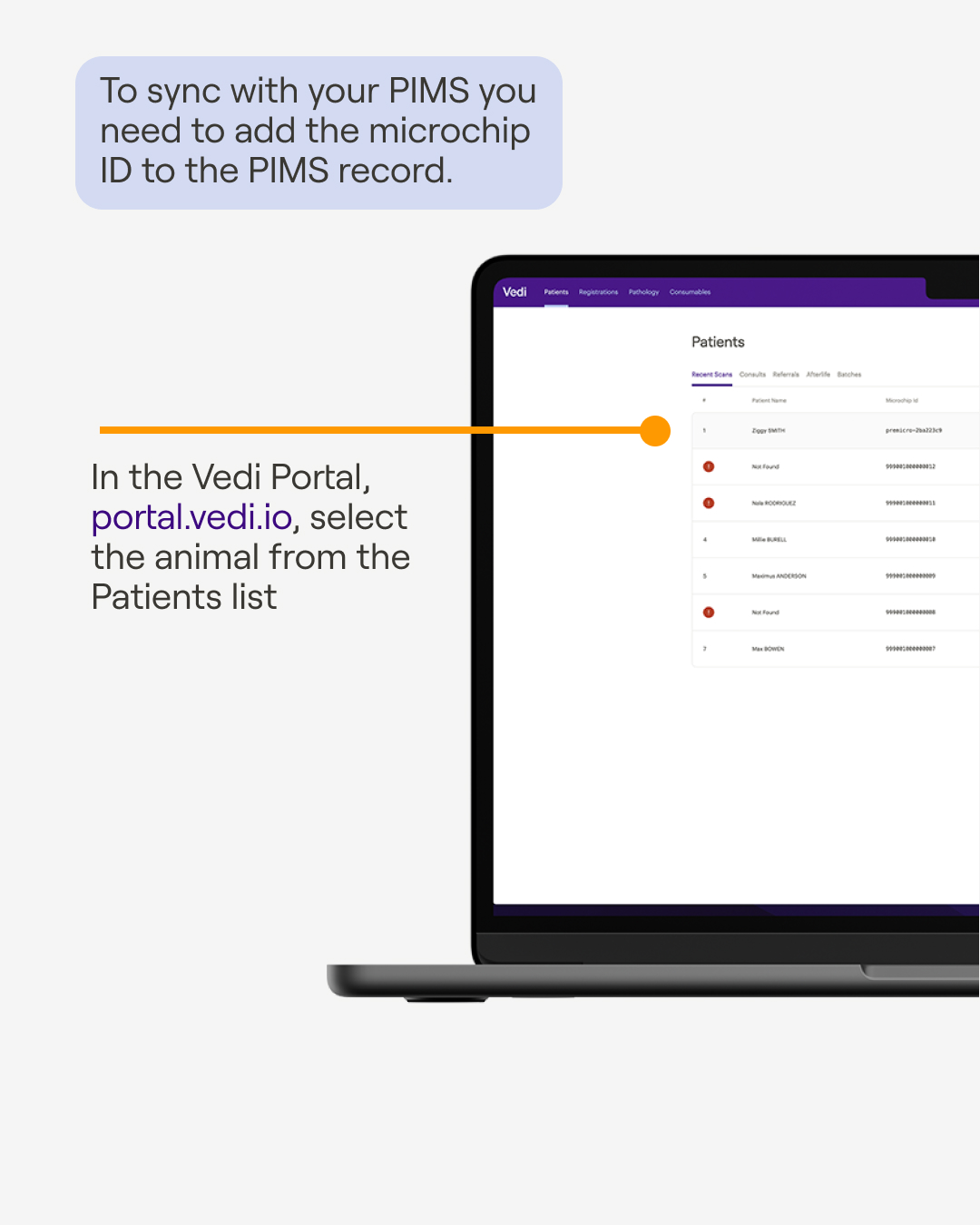
- On desktop, log in to the Vedi Portal at portal.vedi.io and click the animal’s name.
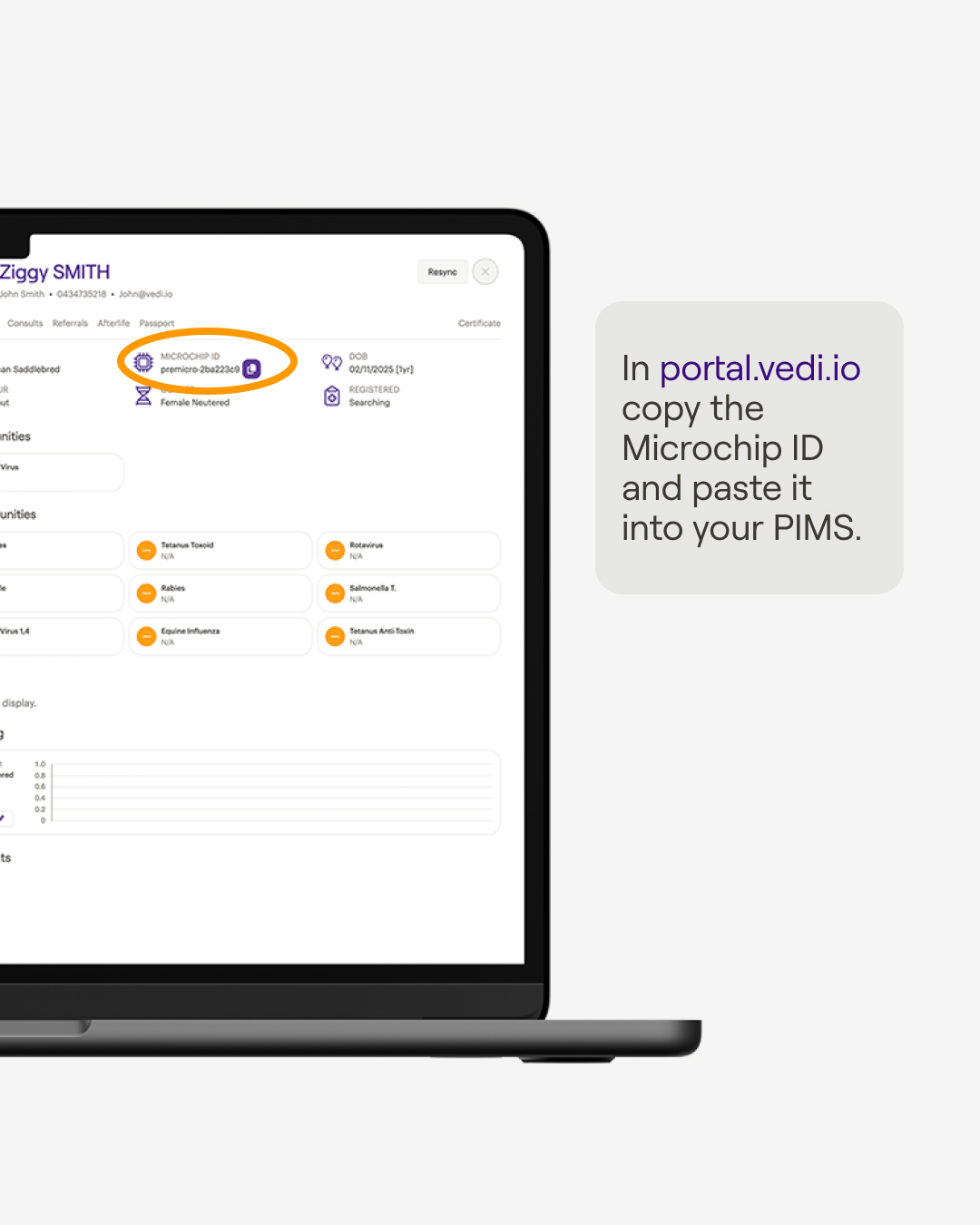
- Click the microchip number (the
premicro-ID) to copy it. - In your PIMS, open the animal’s record and paste the ID into the microchip field.
- If the record doesn’t sync automatically, click Resync in the Vedi Portal.
Finding the animal on a return visit
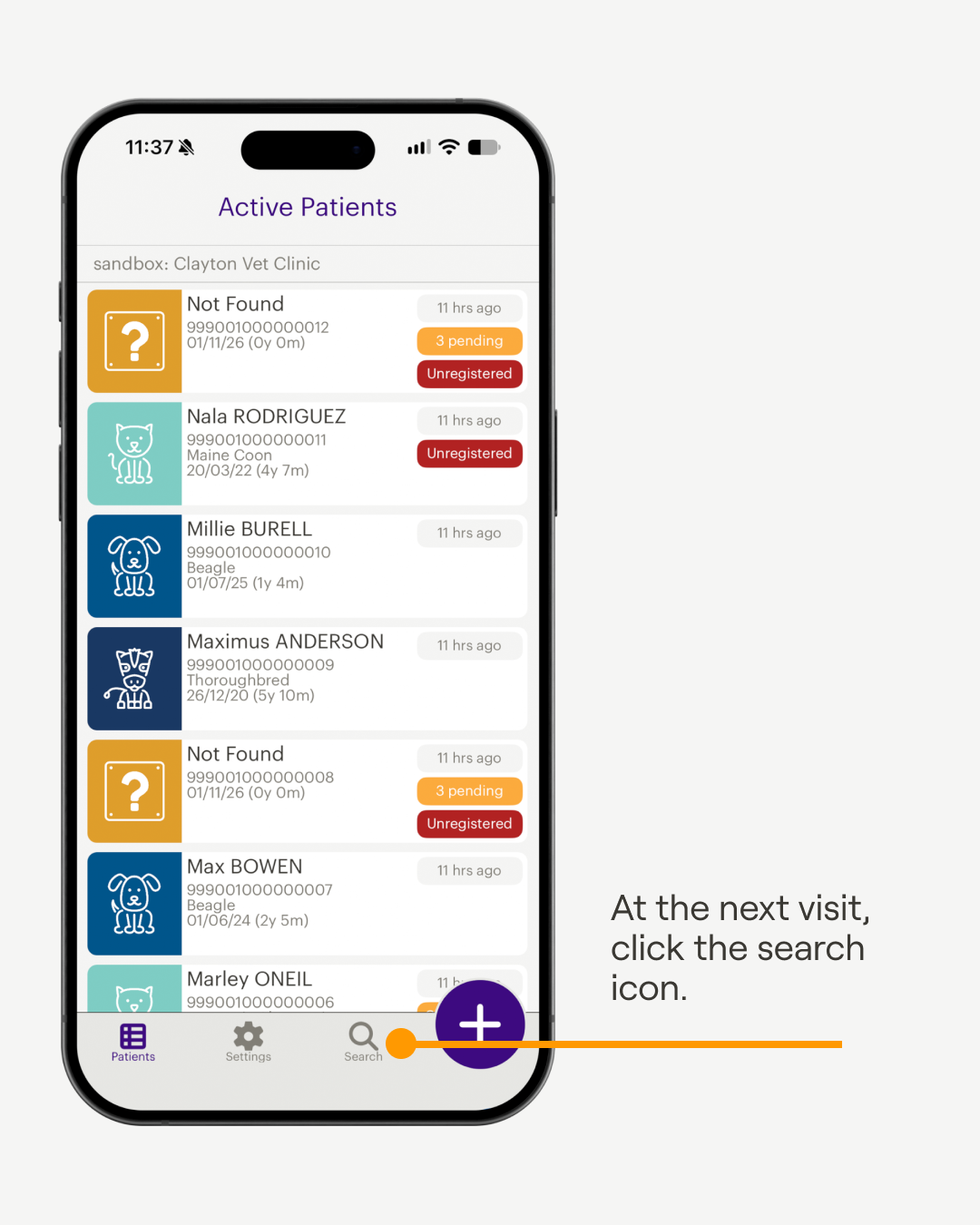
- In the Vedi iOS app, tap Search in the bottom navigation.
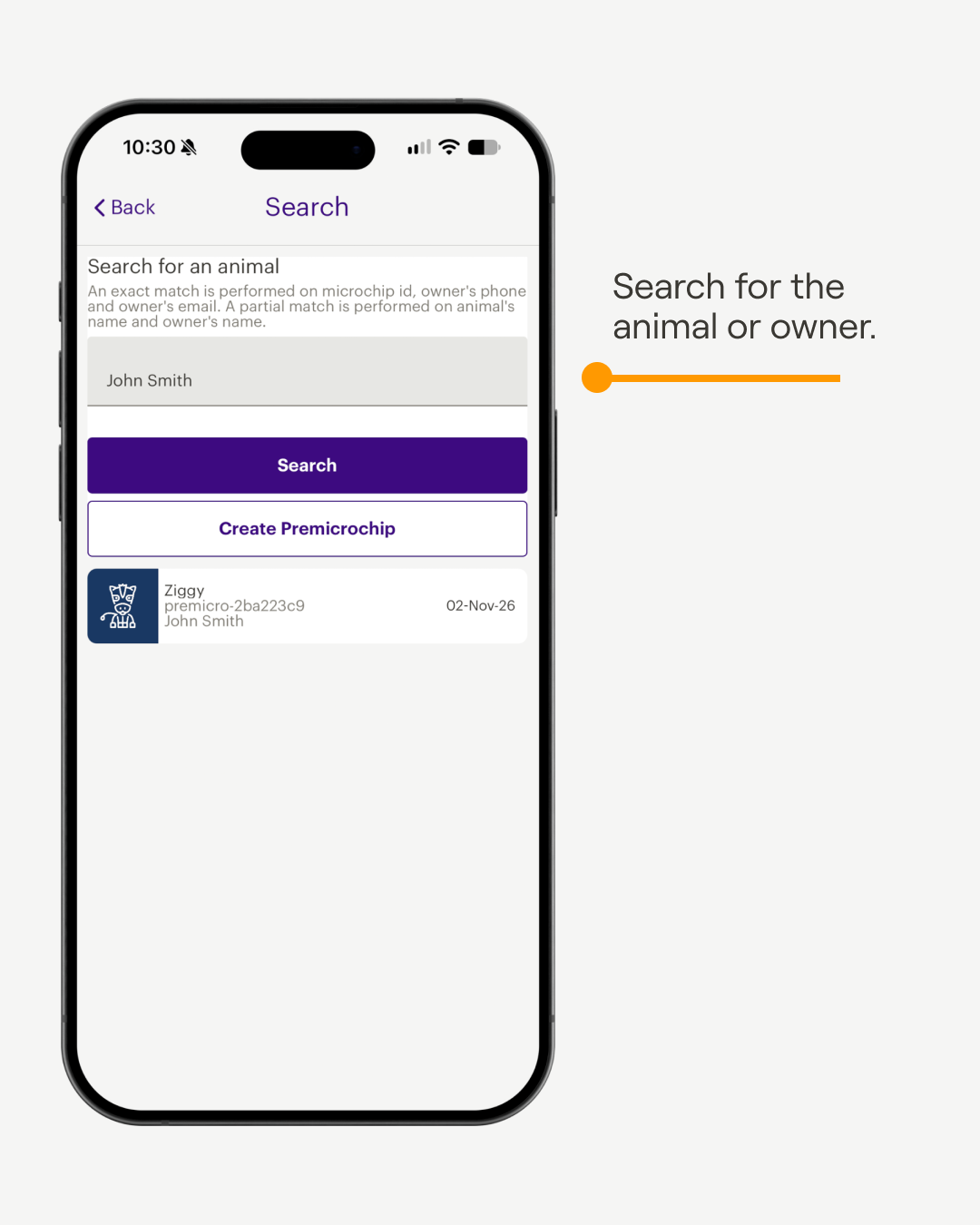
- Enter the animal’s name, the owner’s name, or the owner’s phone number or email.
- Animal and owner names can be partial (e.g. “Zig” will find “Ziggy”).
- Phone numbers and emails must match exactly.
- Tap Search, then select the animal from the results.
- Add treatments or pathology as usual.

